OSCP Cheatsheet
Understanding Active Directory Attacks
Active Directory is an integral part of the OSCP exams. It carries whooping 40 points in the examination. But for every attack, you have to understand why it works, and how it works. For example, why does AS-REP roasting work ? which part of authentication is it attacking inorder for the application to be successful ? what authentication is it using and more. AD has switched from NTLM authentication to Kerberos. So basically, this is what AD authentication looks like.
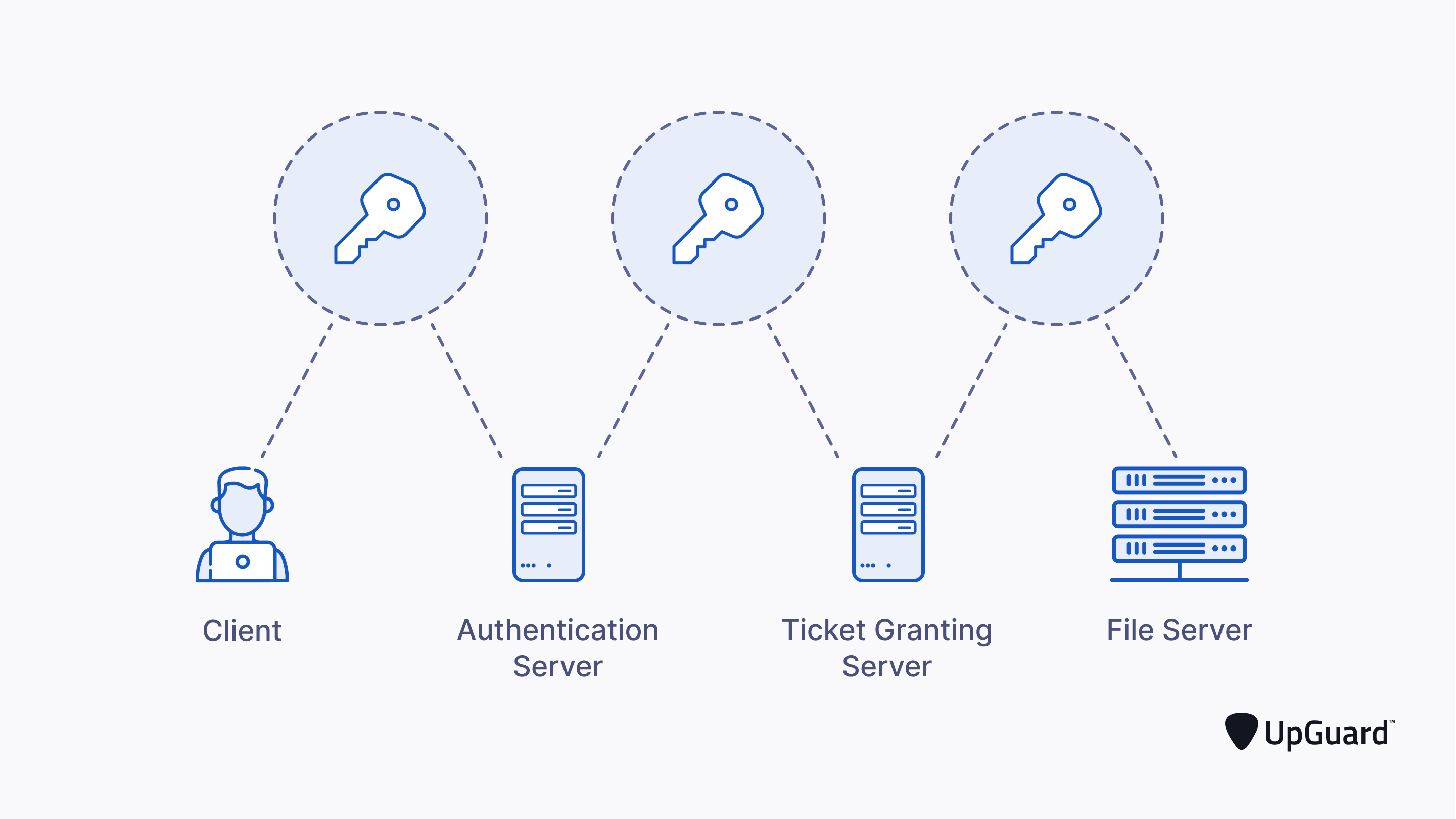
Let's look at this in terms of processes:
1. Application Server Request(AS-REP):
Firstly, when the user logs into the account, the user is requesting the Authentication Server to let him in, which is also known as AS-REQ.So when the authentication server needs to let the person in, there is a certain process. Firstly the time stamp of the authentication server is encrypted using the username and password of the user. The timestamp is an important part of this as if there are multiple timestamps, or a kind of timestamp mismatch, the Domain Controller(DC) can deny the Authentication Server request made by the user.
If everything checks out, the Application Server is able to verift the timestamp and the user credentials, then we can go for the next step.
2. Application Server Reply(AS-REP):
When the application server verifies and is able to decrypt the time stamp using the ntds.dit file (the file in the domain controller that has all the hashes of the users). The application server is finally send the user a session key(encrypted with user password hash), a TGT(Ticket Granting Ticket), the TGT contains information about the user, IP address and timestamp, as the name suggests for TGT, it is a ticket that grants us access to talk to the TGS(Ticket Granting Server).Without the ticket granting server, we would not be able to communicate with the Application Server, which allows us to access resources shared over AD. The domain controller, when validates this authentication and sends us a session key and a TGT, it is called kerberos preauthentication.
Now that we are clear over these concepts, we can understand that there is an attack here, that we can use to get hashes of users and more. We have to understand that AD is set by System Admins and IT people, who can sometimes turn off SMB signing. When SMB signing is turned off, we can use Responder to catch hashes. The pre-requirement of catching user hases via responder is SMB-signing turned off. This method cannot be used in the OSCP, but still I wanted to put that out to you.
Responder is not the only way to get hashes from the user. Let me introduce you to AS-REP roasting. As the name suggests, AS-REP roasting is a kind of roasting attack that can get us NTLM hashes of users which can then be used for authentication or pass the hash attacks. This is one of the important parts. The pre-requiste for the attack is that Kerberos Preauthentication needs to be turned off. Additionally, you do not need a valid set of credentials for this attack. This is how you would perform the attack. AS-REP roasting attack works because pre-autehntication is disabled and without verifying who made the request kerberos gives us a session key and TGT. This attack works around step 2 of kerberos authentication.
3. TGS-REQ: The third step in Kerberos Authentication is TGS(Ticket Granting Service) Request. So if you remember the blog above this, we had a session key and TGT as a part of AS-REP(Authentication Server Reply). So, now we have to send the timestamp encypted with session key, name of resource and TGT to KDC(Key Distribution Center) where the Ticket Greanting Service resides. There should be a timestamp with the TGT, and the username that was made the TGE-REquest had to match with the TGT. and the IP address needs to be correct.
4. TGS-REP: Adter all this information is sent to the TGS, the TGS then verifies and cross references information like the session keys, IP address, timestamp and mroe. If everything checks out, we get a TGS-REP which contains a session key to access the service, a service ticket with username and group membership.
Now that we understand this part, we can place another attack here, Kerberoasting. When we wanted to access a resource we requested a TGS-REQ which has a service ticket which is encrypted using the passowrd hash of the service. The thing is no authorization was performed when we were requesting the TGs-REQ, no authorization in a sense that we need a set of valid credentials, but it did not check if we had rights to access the application. It works on any account that has a SPN. Read more about SPN here.
Now, that we understand how 4 steps of AD authentication work, the last steps are sending the TGS-REP to Application Server to get access to the service.
Silver ticket Attack
One of the most critical attacks you can know is Silver Tickets attack, In order for this to happen, PAC validation should be turned off. If PAC validation is turned on, this attack cannot happen. Basically in Silver Ticket attack, we can create our own ticket granting tciket, which allows us access to any We can create Silver Tickets using Mimikatz, but we need a few things for forging our own silver tickets.
1. SPN password hash
2. Domain SID
3. Target SPN
To find the domain SID, we can just type whoami /user, using mimikatz sekurlsa::logonpasswords, we can we can get the SPN passwords hash, abd the Target SPN can be
Silver Ticket Generation Via Mimikatz

{
kerberos::golden /sid:<SID> /domain:<DOMAIN_NAME> /ptt /target:<PC.DOMAIN_NAME> /service:<SERVICE_NAME> /rc4:<NTLM> /user:<USERNAME>
Here the /ptt option allows us to inject the forged ticket into the current machine.
Conclusion
As Always, I cannot put enough emphasis on being able to understand how things work, this gives you a deeper understanding of being able to break things. I have covered a few attacks here, and I will be publishing more in the future. thank you for reading.